Table of contents
Occupancy sensor types compared: how to choose the right one
What are occupancy sensors and what are they used for?
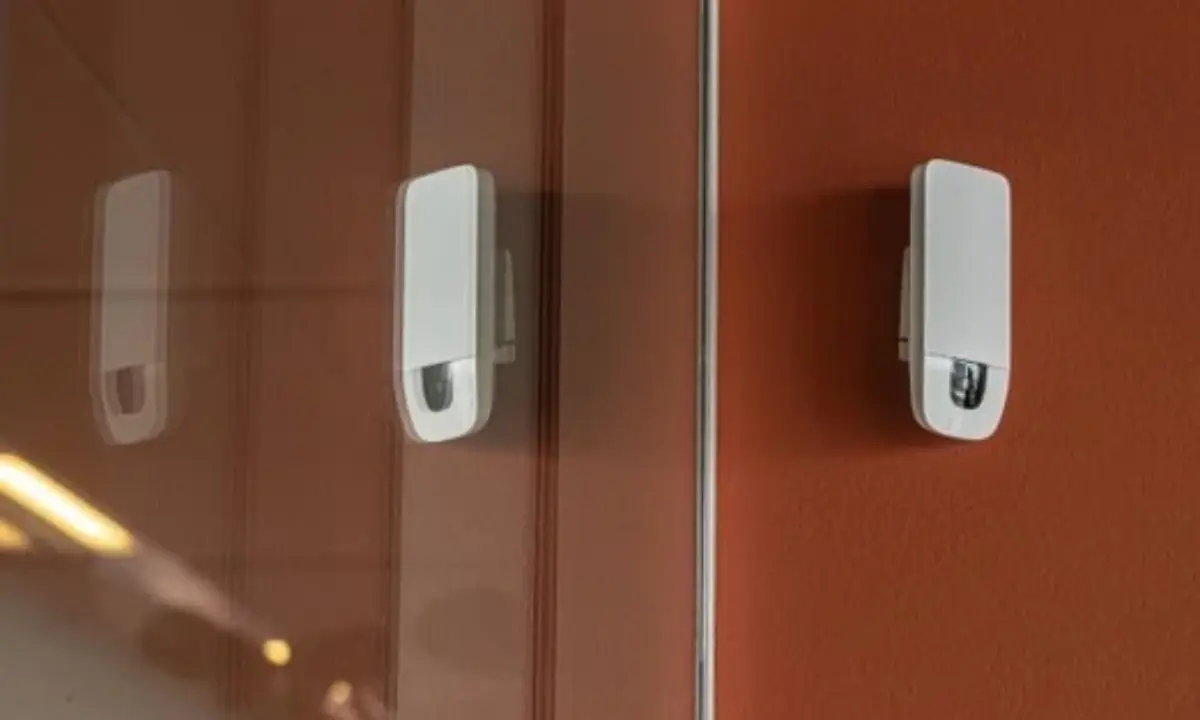
Occupancy sensors are physical devices that detect whether people are present in a space, and often how many (people counting). Depending on the technology, occupancy sensors can:
Integrate with building systems to:
- Switch lights off or dim them when an area is empty.
- Adjust heating, cooling, and ventilation to actual occupancy.
- Release booked meeting rooms automatically when no one shows up.
Measure how space is used:
- Show which desks, rooms, and areas are occupied in real time.
- Reveal space utilisation patterns, so you can optimise layouts and make data-driven real estate investments.
- Provide data on the building's capacity vs real headcounts.
Support daily operations:
- Guide people to free desks and rooms (wayfinding).
- Schedule cleaning based on actual space usage.
- Improve emergency response by knowing where people are during an incident.
- Provide evidence for ESG and sustainability reporting.
How do occupancy sensors work?
Occupancy sensors use different technologies to detect people, but the process usually involves these four steps:
- Detection: The sensor receives a signal indicating that people are present, such as body heat, changes in infrared radiation, reflected radio waves, or visible-light inputs.
- Processing: The sensor converts the signal into occupancy data, such as whether a space is occupied or how many people are in it. This happens either on the device itself (edge processing) or on a remote server (cloud processing). Edge processing is better for privacy. The sensor analyses the raw data itself and sends only anonymous results, so sensitive data never leaves the device.
- Transmission: The sensor sends the occupancy data to connected software over Wi-Fi, a wired network, or a wireless protocol such as LoRaWAN.
- Analysis: The software turns the data into real-time views, such as which rooms are currently in use, and historical analysis, such as utilisation by building, floor, or desk, peak days, and heatmaps. When connected to building management or booking systems, it can also trigger automated actions, such as adjusting HVAC or releasing unused meeting rooms. Real estate teams can use the results to rearrange layouts, cut costs, and decide whether to consolidate, reconfigure, or expand.
What are the different types of occupancy sensors?
You can find a wide range of occupancy sensors on the market today. This article covers ten common types: AI vision (DNN-based), passive infrared (PIR), ultrasonic, dual-technology, microwave, radar, thermal, time-of-flight (ToF), under-desk, and CO2 sensors. Each detects a different signal and has its own strengths and limitations. The table below gives a quick overview, and the sections that follow cover each type in detail.
AI vision (DNN-based) sensors
AI vision sensors use an optical sensor and a neural network to recognise people in a space. They can count how many people are in a room and show exactly which desks and spaces are in use.
Strengths: They provide the most granular occupancy data and high accuracy.
Limitations: They need adequate lighting and a clear view of the monitored space. Privacy depends entirely on the design.
Cost: The cost per sensor is higher than PIR or radar. However, one sensor can cover an area that would otherwise need multiple desk-level devices.
Best for: Granular space utilisation data across desks, meeting rooms, and shared areas, where the data will inform real estate decisions and layout changes.
Ubiqisense sensors belong to this category. Because all data is anonymised on the device, no images are stored or transmitted, so they can be used even in meeting rooms and other private spaces. See how Ubiqisense occupancy sensors work.
Passive infrared (PIR) sensors
PIR sensors detect changes in infrared radiation, the heat people give off, as someone moves through the sensor’s field of view. A segmented lens divides the area into zones, and the sensor triggers when a warm body moves from one zone to the next.
Strengths: They’re inexpensive, use very little power (so they work well on batteries), are easy to install, and collect no personal data.
Limitations: They detect movement, not presence. They’re good at noticing someone walking into a room but often miss small movements like typing, so lights can switch off while people are still working. They also need a clear line of sight, can’t see past partitions, and can’t count people or show where they are. Heat sources can also cause false triggers.
Cost: Basic PIR detectors for lighting control are inexpensive. One UK supplier lists Steinel motion detectors at £17.99–£42.14.
Best for: Corridors, stairwells, storerooms, and small rooms where people are usually moving. They’re not suitable for measuring desk or meeting room use.
Ultrasonic sensors
Ultrasonic sensors emit high-frequency sound waves, well above the range of human hearing, and detect changes in the reflected waves caused by movement. Because sound fills the room and reflects around obstacles, they don’t need a direct line of sight.
Strengths: They’re sensitive to small movements like typing or turning pages, and work around partitions.
Limitations: Air movement from ventilation systems can cause false triggers. Because they constantly emit a signal, they use more power than PIR and are usually hard-wired. They also can’t count people or show where they are.
Cost: Usually more expensive than PIR sensors.
Best for: Lighting control in restrooms, partitioned offices, and other spaces where obstacles block a PIR sensor’s view.
Dual-technology sensors
Dual-technology sensors combine PIR with ultrasonic sensing. In many products, both technologies must detect someone before the lights switch on, which reduces false triggers from air movement or people passing in a corridor.
Strengths: Fewer false triggers than single-technology sensors, and better coverage in rooms with partitions or furniture.
Limitations: Requiring both technologies to agree can make lights more likely to switch off while the room is still in use. They also can’t count people.
Cost: More than single-technology sensors.
Best for: Meeting rooms, classrooms, and spaces where lights switching off while people are present is an issue.
Microwave sensors
Microwave sensors emit low-power microwave signals and detect changes in the reflections as people move. They’re often built into light fittings, especially in commercial and industrial lighting.
Strengths: They’re very sensitive and have a long detection range. They can also detect presence through certain non-metallic materials, such as glass and thin partitions.
Limitations: Because they can see through some materials, they can pick up movement outside the intended area, such as people in a corridor or the next room, so range settings need careful adjustment. They detect motion rather than presence and can’t count people.
Cost: Comparable to PIR for basic lighting sensors.
Best for: Warehouses, car parks, corridors, and large open areas, especially where the sensor sits inside a light fitting.
Radar (mmWave) presence sensors
Radar presence sensors work on the same principle as microwave sensors, but at higher frequencies and with more advanced signal processing. They can detect very small movements, including breathing, so they can tell a room is occupied even when people are sitting completely still. Some can also locate and count a small number of people.
Strengths: They reliably detect people who aren’t moving, which solves PIR’s biggest weakness. They work in the dark and can be hidden behind ceiling tiles or panels.
Limitations: Counting accuracy drops as rooms get busier. Like microwave sensors, they can detect through some materials, so placement matters.
Cost: Wide range. Basic presence sensors are inexpensive, but commercial sensors with counting and integrations cost considerably more.
Best for: Desks, small meeting rooms, focus rooms, and other spaces where people sit still for long periods.
Thermal sensors
Thermal sensors use an array of heat-sensing elements to create a low-resolution heat map of a space. People show up as warm spots, whether they’re moving or not. The resolution is far too low to identify anyone.
Strengths: They detect people who sit still and can count them without capturing identifiable images, and they work in low light.
Limitations: Their low resolution limits how much detail they provide. Heat sources such as radiators, laptops and direct sunlight can interfere, and people standing close together can affect accuracy.
Cost: They usually cost more than PIR sensors, but less than AI vision sensors.
Best for: Room-level counting in privacy-sensitive spaces, such as meeting rooms and healthcare settings.
Time-of-flight (ToF) sensors
Time-of-flight sensors emit pulses of infrared light and measure how long they take to bounce back, building a 3D depth map of the area below. Mounted above a doorway, they count people entering and leaving and can tell which direction they’re going.
Strengths: Accurate counting at entrances and between zones.
Limitations: Reflective surfaces and strong sunlight can affect readings, and mounting height is limited. Because they count crossings rather than presence, a missed entry or exit can throw the count off until the sensor resets.
Cost: Mid- to high-range per entrance.
Best for: Footfall at building entrances, floor-level occupancy, and tracking against capacity.
Under-desk sensors
Under-desk sensors are small, usually battery-powered devices fixed under individual desks. They typically use PIR or thermal sensing to detect whether someone is sitting there.
Strengths: Simple, accurate yes/no data for each desk, and easy to install.
Limitations: You need one sensor per desk, so costs and battery maintenance grow with your estate. They only cover desks, not meeting rooms or shared areas, and they can be knocked or moved when furniture is rearranged.
Cost: Moderate per unit. One UK reseller lists an EnOcean under-desk sensor at £75, but the total depends on how many desks you have.
Best for: Hot-desking and desk-booking systems in smaller estates, or pilots before a wider rollout.
CO2 sensors
CO2 sensors don’t detect people directly. They estimate occupancy from the build-up of carbon dioxide people exhale. Many buildings already have them for ventilation and indoor air quality.
Strengths: They may already be installed, and they’re useful for adjusting ventilation to match how many people are in a room.
Limitations: CO2 levels take time to build up and fall, so they lag behind real occupancy. The UK Health and Safety Executive describes CO2 readings as only a broad guide to ventilation. Readings also shift when people open windows or doors.
Cost: Low to moderate, and often already in place.
Best for: Ventilation control and rough occupancy trends, not desk- or room-level utilisation data.
Non-sensor alternatives
Some organisations estimate occupancy from data they already have:
- Wi-Fi and Bluetooth data count connected devices. Device data can count as personal data, so it falls under the same ICO guidance on monitoring workers as any other workplace monitoring. Accuracy also depends on how many people carry devices and keep them connected.
- Badge and access control data show who entered the building, but not where they went or how long they stayed.
- Booking systems show intended use, not actual use. The gap can be large: at one UK university, rooms the booking system showed as busy were actually used only 7–12% of the time.
These sources are a useful starting point, but they can’t replace sensors for reliable space utilisation data.
What are the main advantages of occupancy sensors?
Occupancy sensors offer four main advantages: lower energy use, better space allocation, data-driven real estate investments, and improved employee satisfaction.
1. Lower energy use
Occupancy sensors enable building systems to automatically switch off lights in empty rooms and adjust HVAC based on actual occupancy. This means that less energy goes to heating, cooling, and lighting unused spaces. According to the Carbon Trust, installing lighting and occupancy sensors can cut lighting costs by around 20% a year, and lighting controls alone can reduce electricity use by 30–50% in a typical office.
2. Better space allocation
Most offices have far more space than they use. On an average weekday, only about 3 in 10 desks in UK offices are occupied, and even on the busiest days, Tuesday to Thursday, it’s just 4 in 10, according to the British Council for Offices (BCO). By identifying underused and high-demand areas, as well as usage throughout the week, occupancy sensors allow you to reallocate desks, free up meeting rooms, and rework layouts.
3. Data-driven real estate investments
Unused space is expensive. Including rent, rates, service charges, and energy, a single workstation in Mayfair now costs over £21,000 a year. Even in the UK’s major regional cities, it’s only around 40% cheaper. Hybrid work has also changed how offices are used, and the BCO now expects desks to be occupied 66% of the time, down from 80%. Tracking occupancy over time shows whether you need more space or just a better layout.
For example, if certain office areas are barely used while others are always occupied, you can rearrange workstations before committing to an expensive expansion.
4. Improved employee satisfaction
According to the World Green Building Council, office design, including layout, air quality, and lighting, affects employees’ wellbeing and productivity. However, a good layout isn’t just about looks. It’s also about whether people can find a desk or meeting room when they need one. Real-time availability data lets employees see what’s free before they arrive. Less time searching for space means less frustration and more time for actual work.
Who can benefit from occupancy sensors?
Occupancy sensors can benefit a wide range of organisations, such as:
1. Office buildings
By measuring how desks, meeting rooms, and shared areas are used throughout the week, occupancy sensors help you:
- Move teams or repurpose consistently underused areas.
- Plan workstations around actual demand, not total headcount.
- Identify no-shows and free up meeting rooms instantly.
- Use long-term patterns to decide which areas need more space, fewer desks, or a new layout.
- Report energy use and emissions against office utilisation patterns for ESG and sustainability reporting.
2. Higher education institutions
Occupancy data helps higher education institutions:
- Match classes to rooms that fit actual attendance.
- Repurpose rooms that are unused.
- Identify peak study times and allocate seating and resources accordingly.
- Decide whether they need more teaching space, study areas, or larger lecture halls.
- Support funding bids and capital investment cases with evidence of how space is actually used.
- Back sustainability and ESG reporting with measured data on building use.
3. Public institutions
Occupancy data helps government offices, libraries, museums, and other public buildings:
- Match staffing and services to busy periods.
- Reduce queues and congestion.
- Identify underused rooms and areas that could serve other purposes.
- Use long-term trends to guide decisions.
4. Healthcare facilities
Hospitals, clinics, and nursing homes must meet strict standards for privacy, reliability, and safety. Within those limits, occupancy data helps you:
- Find underused consultation and treatment rooms to improve scheduling.
- Understand demand for shared spaces to support planning.
- Spot recurring capacity problems and guide decisions on expansion or reconfiguration.
5. Retail
In retail environments, occupancy data enables you to:
- Match staffing levels to customer traffic throughout the day.
- Identify busy and quiet areas to guide product placement.
- Track footfall across stores, days, and seasons.
- Check whether entrances, checkouts, changing rooms, and other customer areas can handle demand.
How do you choose the right occupancy sensor?
With so many occupancy sensors on the market, it’s easy to feel overwhelmed. The good news is that following these six steps can make the choice much simpler.
1. Define your goals
Start by defining your goal. Do you want to reduce energy consumption, optimise existing space, or inform real estate investments?
Each goal calls for a different level of detection and data quality.
2. Assess the space
Consider the room’s dimensions and layout, including entrances, partitions, furniture, and lighting. A sensor that suits a small meeting room may not work as well for a large open-space office.
3. Define the level of accuracy needed
How accurate your sensor needs to be depends on your end goal. A light switching off while someone’s still in the room is annoying, but inaccurate data can lead to costly mistakes when deciding whether you need a bigger office or just a better use of the space you have.
Ask suppliers how accurate their occupancy sensors are, and under what conditions:
- What does the stated accuracy figure actually measure?
- How was it tested?
- Does it detect people sitting still?
- How does it handle crowds and overlapping movement?
- What happens when someone enters or leaves outside the detection zone?
- How often does it need recalibrating?
- What are the potential limitations?
4. Review privacy and data governance
Find out what the system collects. Is it images, thermal data, device identifiers, location data, or only anonymous occupancy counts?
Then ask:
- Where is the data processed?
- Is any identifiable information kept?
- How long are records stored?
- Who can access the records, and how are they protected?
This is especially important for companies that are subject to strict data protection rules, such as the GDPR.
5. Check connectivity and integration
Make sure the sensor can talk to the systems that will use its data. Consider:
- Wired or wireless connection
- Available APIs or integration options
- Compatibility with your building management and analytics platforms
- Network security and IT approval
- Power supply and access for maintenance
- Data formats, reporting frequency, and system uptime
6. Evaluate the costs
The sensor price is only part of the total cost. For the full picture, factor in installation, connectivity, gateways, software licences, integration, and maintenance. Then weigh the total against the expected benefits.
Frequently asked questions
Are occupancy sensors GDPR compliant?
It depends on what the sensor collects. Sensors that anonymise data on the device and never create, send, or store personal data are GDPR-compliant. On the other hand, systems that record images or track devices process personal data, so they need a lawful basis and extra safeguards under the GDPR.
How accurate are occupancy sensors?
Accuracy varies widely by technology. Basic PIR sensors often miss people sitting still and can’t count. AI vision sensors can count people accurately at desk and room level, and time-of-flight sensors count people accurately at entrances. Ubiqisense sensors, for example, reach more than 99% occupancy accuracy over time. When comparing suppliers, ask what the accuracy figure measures and how it was tested.
Occupancy, absence, and motion sensors: what’s the difference?
These terms are often used interchangeably, but they describe different things:
- Occupancy sensors, usually called presence detectors in the UK, switch lights on automatically when someone enters and off when the space is empty.
- Absence detectors (also called vacancy sensors) require people to switch lights on manually, but switch them off automatically once the space is empty.
- Motion sensors detect movement only. Many basic “occupancy sensors” are really motion sensors, which is why they can switch lights off on people sitting still.
Can occupancy sensors detect people who are sitting still?
Some can. PIR sensors detect movement, so they often miss people sitting quietly at a desk. Radar, thermal, and AI vision sensors can detect people who aren’t moving, making them better suited for measuring how desks and meeting rooms are used.
What’s the difference between occupancy sensing and people counting?
Occupancy sensing measures whether a space is in use, and often how many people are in it. People counting, also called footfall counting, tracks how many people enter and leave through an entrance. Many organisations use both: occupancy data for desks and rooms, and footfall data for buildings and floors.
How much do occupancy sensors cost?
It depends on what you need the sensor to do. Basic sensors for lighting control are inexpensive: one UK supplier lists Steinel motion detectors at £17.99–£42.14, and an EnOcean under-desk sensor sells for £75. Sensors for space analytics usually cost more and often come with a software subscription. The sensor price is only part of the total, so factor in installation, connectivity, software, integration, and maintenance.
How Ubiqisense turns occupancy data into better real estate decisions
Ubiqisense sensors show how many people use each desk, room, and floor, and when, with occupancy data updated every 20 seconds. Over time, they reach more than 99% occupancy accuracy. They can also tell whether people are sitting or standing, and they calibrate themselves within a few days of installation.
In the Ubiqisense platform, heatmaps show where people spend their time, so you can quickly spot busy and underused areas. The data also connects to the systems you already use, from your building systems to Power BI.
Because all data is anonymised on the device, you can use Ubiqisense sensors even in meeting rooms and other private spaces. Ubiqisense is also ISO 27001 and SOC 2-certified, and GDPR-compliant.
Here’s what that looks like in practice.
DEAS: More meeting rooms, without more space
When a tenant at Flintholm Company House in Copenhagen asked for more meeting rooms, Nordic real estate specialist DEAS didn’t add square metres. It started measuring how the existing rooms were used. The data told a different story: between 8 am and 4 pm, the meeting rooms were booked only 28% of the time, with an average of four or five people in rooms built for ten. Demand peaked on Tuesdays and Thursdays, and the rooms furthest from employees’ desks were barely used. The problem wasn’t a lack of space; it was how the existing space was set up.
As DEAS’s Lead Architect for Space Planning, Mie Møller, puts it: “We were surprised by the data.” Read the full DEAS story.
A large UK university: Millions saved on unused space
A large UK university with a multi-site estate installed Ubiqisense sensors to understand how its teaching spaces were really used. The data showed teaching-room utilisation of just 7 to 12% in rooms the booking system showed as busy. With that evidence, the university closed 28 buildings, cutting its electricity and gas costs by 35%. It now also uses the same data for its ESG reporting and funding bids.
Make your next real estate decision confidently
Choosing an occupancy sensor depends on what you need the data for. If you only want lights to switch off in empty rooms, a basic sensor will do. But if you’re deciding whether to expand, consolidate, or redesign your workplace, you need data you can trust.
Here’s where accurate, anonymous occupancy data makes the difference. It replaces assumptions with evidence, so you can invest in the space you actually need and stop paying for the space you don’t.
Want to see how your building is really being used? Book a demo, and we’ll show you what your space could look like with Ubiqisense.